
Guest texting

How GrantKey texting works.

A guest only ever hears from GrantKey after they text first. Here is the whole flow, with the exact words a guest sees.

1. The sign: where a guest opts in

Each property displays a GrantKey sign near the entrance. It shows the property name and the GrantKey number. A guest who can't get in texts the property name to that number.
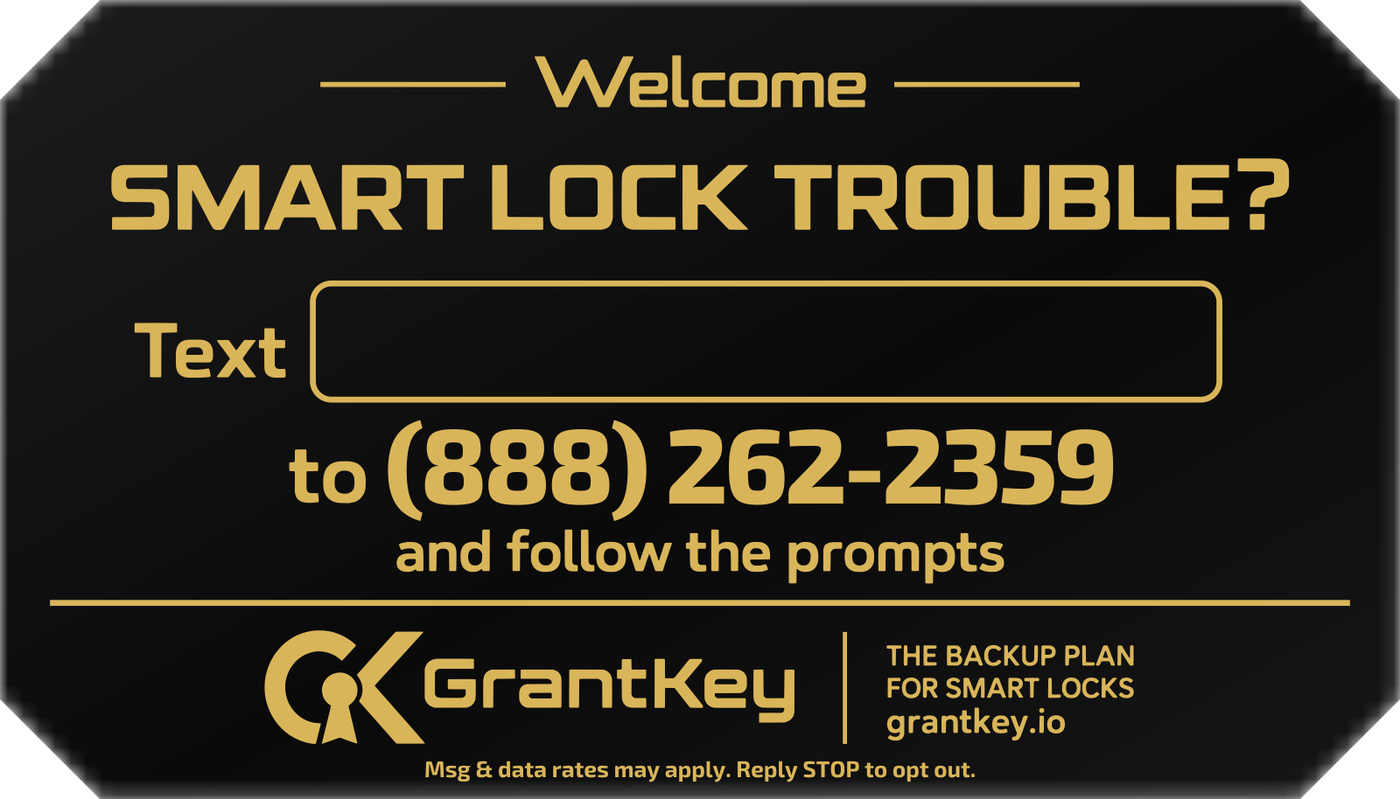
The GrantKey sign artwork. It reads: Welcome. Smart lock trouble? Text the property name to (888) 262-2359 and follow the prompts. GrantKey, the backup plan for smart locks, grantkey.io. Msg and data rates may apply. Reply STOP to opt out.
The GrantKey sign (artwork, not a photograph). A sign like this is posted at the rental property entrance. The box holds the property's name, and guests opt in by texting that name to the number on the sign.

2. What the guest agrees to

3. The first reply

This is the first message a guest gets back. It names the service, says what happens next, and repeats the rates, STOP and HELP information and the link to the program terms.
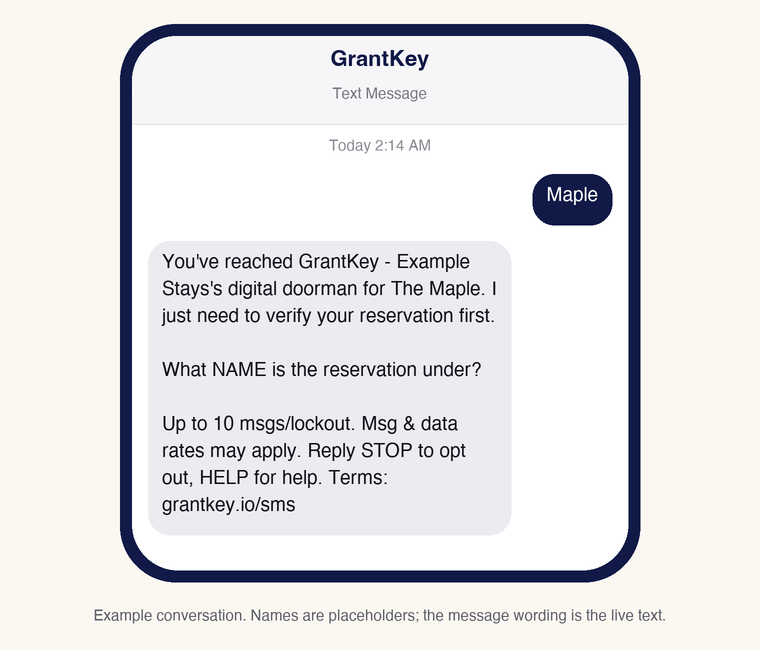
Example text conversation. The guest texts the property name, Maple. GrantKey replies: You've reached GrantKey, Example Stays's digital doorman for The Maple. I just need to verify your reservation first. What NAME is the reservation under? Up to 10 msgs/lockout. Msg & data rates may apply. Reply STOP to opt out, HELP for help. Terms: grantkey.io/sms
What a guest receives after texting the property name.

The same message as text, with the operator and property names filled in for each property:

You've reached GrantKey - [Operator Name]'s digital doorman for The [Property Name]. I just need to verify your reservation first.

What NAME is the reservation under?

Up to 10 msgs/lockout. Msg & data rates may apply. Reply STOP to opt out, HELP for help. Terms: grantkey.io/sms

4. HELP and STOP

A guest who replies HELP gets:

GrantKey Lockout Assistance: automated lockout help for rentals. Help: support@grantkey.io or (571) 406-4034.

Msg&data rates may apply. Reply STOP to opt out.

A guest who replies STOP gets the standard opt-out confirmation, and receives no further messages from GrantKey.

Try it before you sign up

Demo for hosts

Hosts can try GrantKey before signing up. Text the keyword shown in our ads or on grantkey.io (for example, BlueCrab Shack) to (844) 844-2575. You’ll get a short demo conversation (up to 10 messages) using a sample property, ending with an option to reply HOST to request a call with Collin. We only reply when you text us first, and we never add you to a list. Msg & data rates may apply. Reply STOP to opt out, HELP for help.
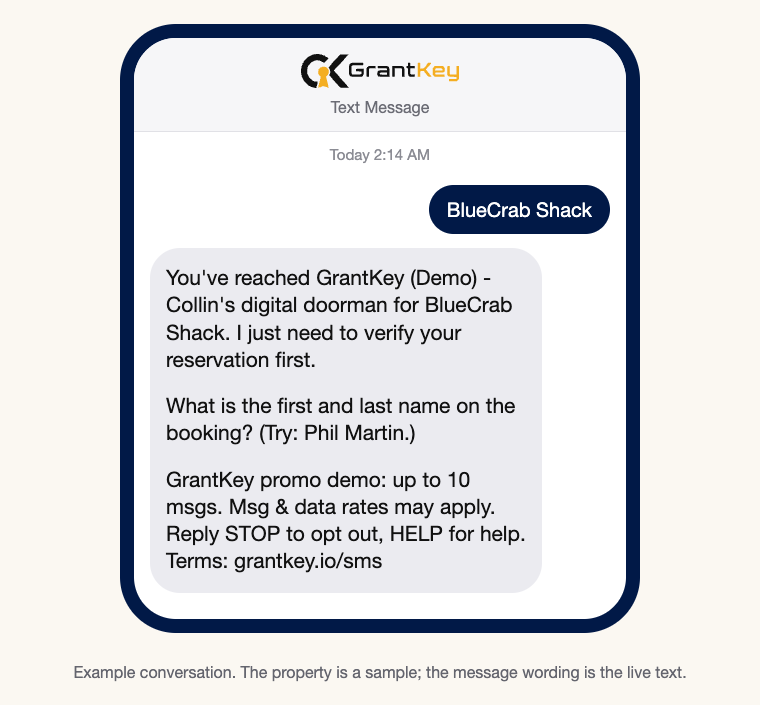
Example text conversation. A host texts BlueCrab Shack. GrantKey replies: You've reached GrantKey (Demo) - Collin's digital doorman for BlueCrab Shack. I just need to verify your reservation first. What is the first and last name on the booking? (Try: Phil Martin.) GrantKey promo demo: up to 10 msgs. Msg & data rates may apply. Reply STOP to opt out, HELP for help. Terms: grantkey.io/sms
What a host receives after texting the demo keyword. The property is a sample.

The same message as text:

You've reached GrantKey (Demo) - Collin's digital doorman for BlueCrab Shack. I just need to verify your reservation first.

What is the first and last name on the booking? (Try: Phil Martin.)

GrantKey promo demo: up to 10 msgs. Msg & data rates may apply. Reply STOP to opt out, HELP for help. Terms: grantkey.io/sms

Our promise

GrantKey never texts anyone who hasn't texted first, never adds numbers to a list, and sends no marketing through the guest lockout program. Read the full program terms at grantkey.io/sms and how we handle information in our Privacy Policy.

GrantKey is operated by Bower & Kip Properties, LLC d/b/a GrantKey. Questions: support@grantkey.io or (571) 406-4034.